
Code Editor
Write, debug, and review code with AI pair-programming built right into the session.
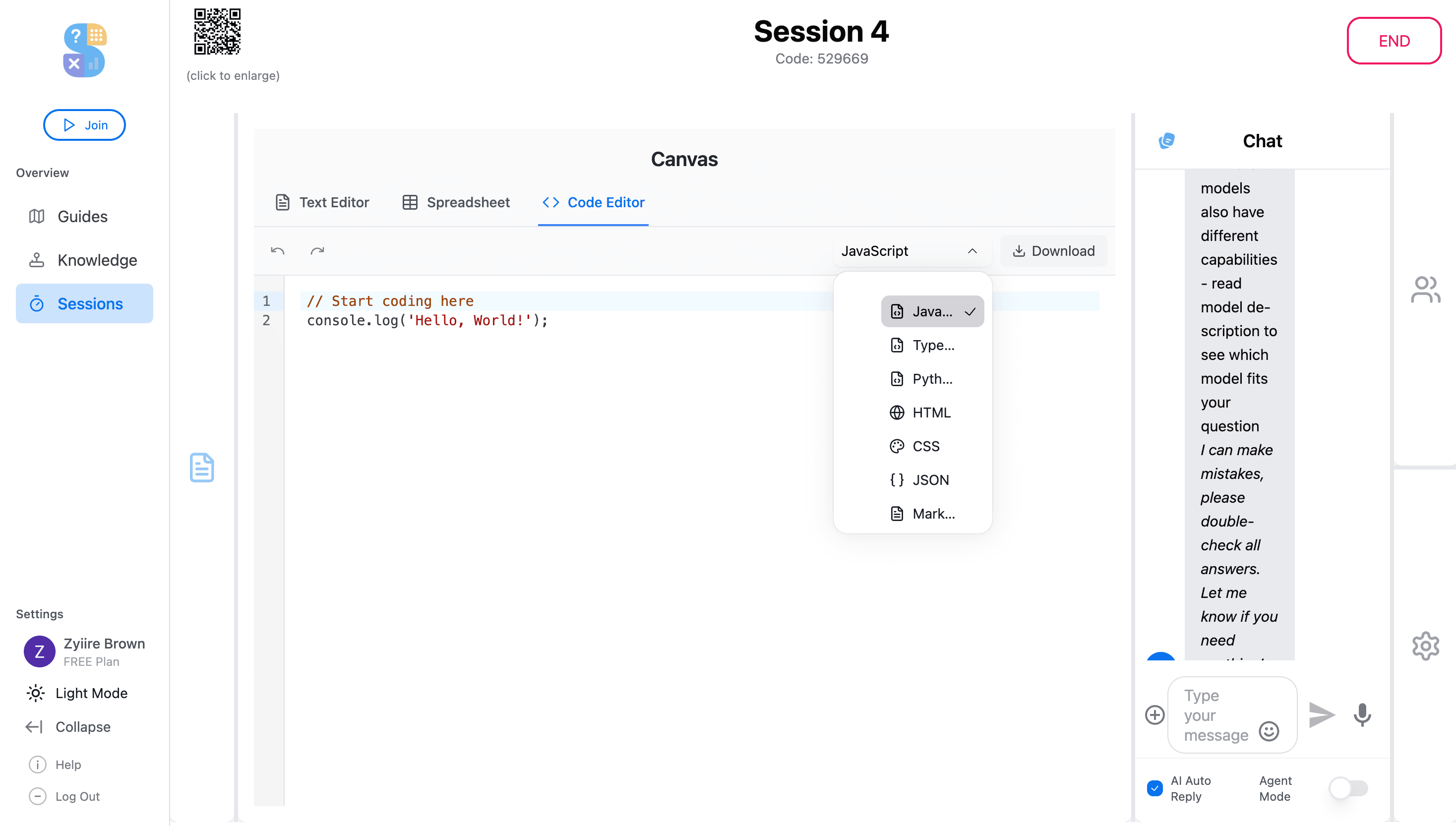
The Code Editor gives developers a full coding environment inside Thytus. Write code with syntax highlighting and auto-indentation, get real-time AI suggestions, and share your work with teammates for instant review, all without leaving the workspace.
Key Highlights
Syntax-Highlighted Editing
Write and edit code with full syntax highlighting, auto-indentation, and language detection for dozens of programming languages.
AI Pair Programming
Get real-time suggestions, have agents write boilerplate, debug errors, or refactor functions, all within the same session.
Inline Code Review
Share code with teammates and agents for instant feedback. Review diffs, suggest changes, and iterate without leaving the workspace.
What you can do
Multi-Language Support
Syntax highlighting and language detection for Python, JavaScript, TypeScript, Java, Go, Rust, and dozens more.
AI Debugging
Paste an error message and let an agent trace the bug, explain the root cause, and suggest a fix.
Boilerplate Generation
Describe a function or component and let the AI write the scaffolding so you can focus on business logic.
Collaborative Review
Share code snippets with session participants for real-time feedback, comments, and suggested edits.
Try the Code Editor today
Get started for free and experience code editor powered by collaborative AI.
Get Started for Free